
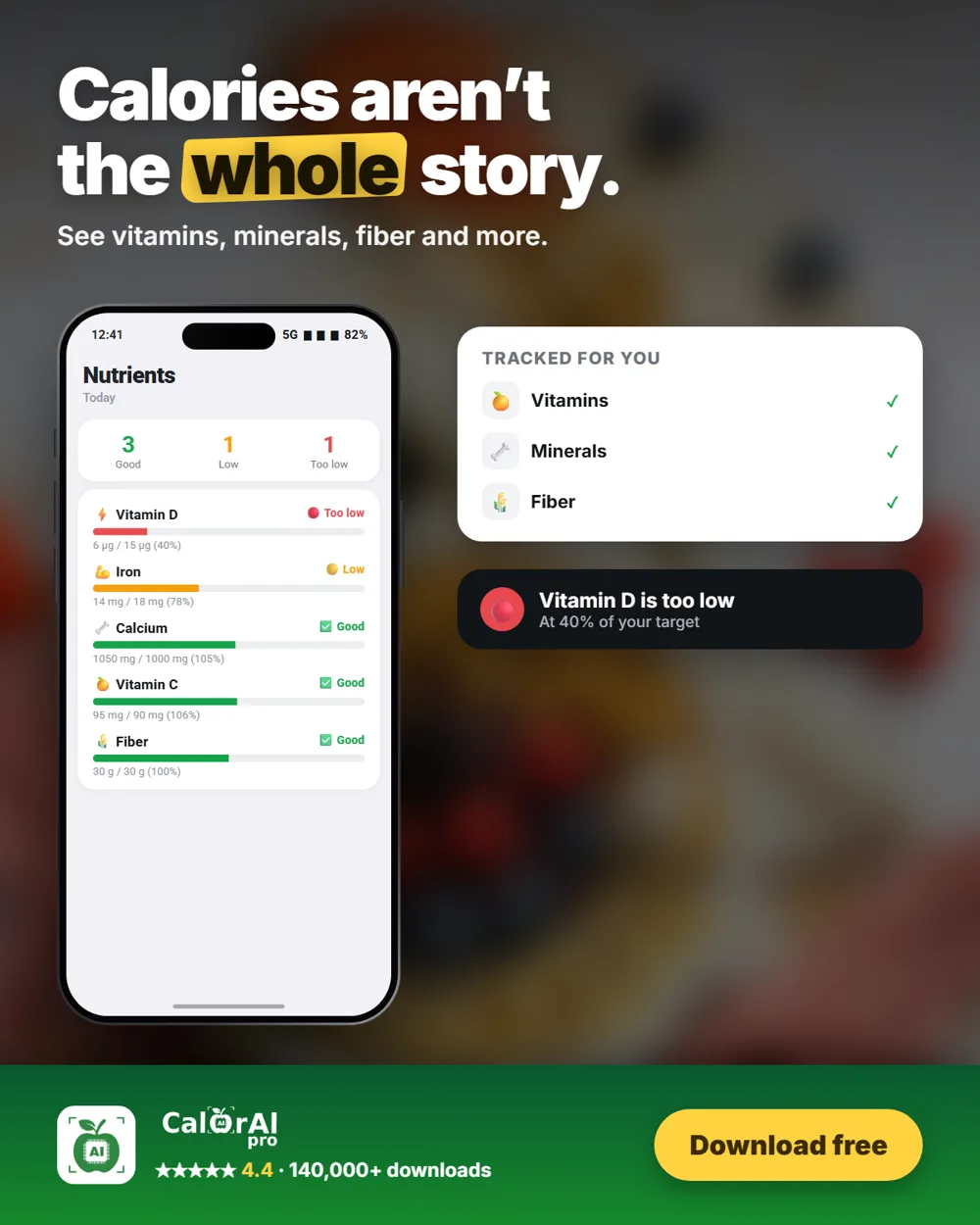
You can hit your calorie target and still eat too little of what your body needs. That is why CalorAI has a nutrients section.
What it tracks
- Vitamins: D, B12, C, folate and A
- Minerals: iron, calcium, magnesium, zinc and potassium
- Fiber
- Limits to watch, such as sodium
What the labels mean
| Label | Share of your daily need |
|---|---|
| Too low | Below 50% |
| Low | 50–90% |
| Good | 91% or more |
For things you should limit, the scale works the other way:
| Label | Share of your daily limit |
|---|---|
| Good | Below 91% |
| Moderate | 91–109% |
| High | Above 109% |
Easy fixes for common gaps
- Iron: red meat, beans and lentils
- Calcium: dairy or fortified plant milks, and tofu set with calcium
- Vitamin C: citrus, peppers and berries
- Fiber: oats, beans, fruit and vegetables
- Too much sodium: eat fewer processed foods, salty snacks and sauces
Look at the week
Don't worry about one low day. A nutrient that stays low for weeks is more useful to act on.
Sources
- National Institutes of Health, Office of Dietary Supplements. Vitamin and mineral fact sheets.
- World Health Organization. Sodium reduction fact sheet.
- Disclosure: this article is published by the team behind CalorAI. Food tracking can’t diagnose a deficiency. Ask a doctor if you are concerned.
CalorAI provides estimates for general information only and is not medical advice.